 Know My PC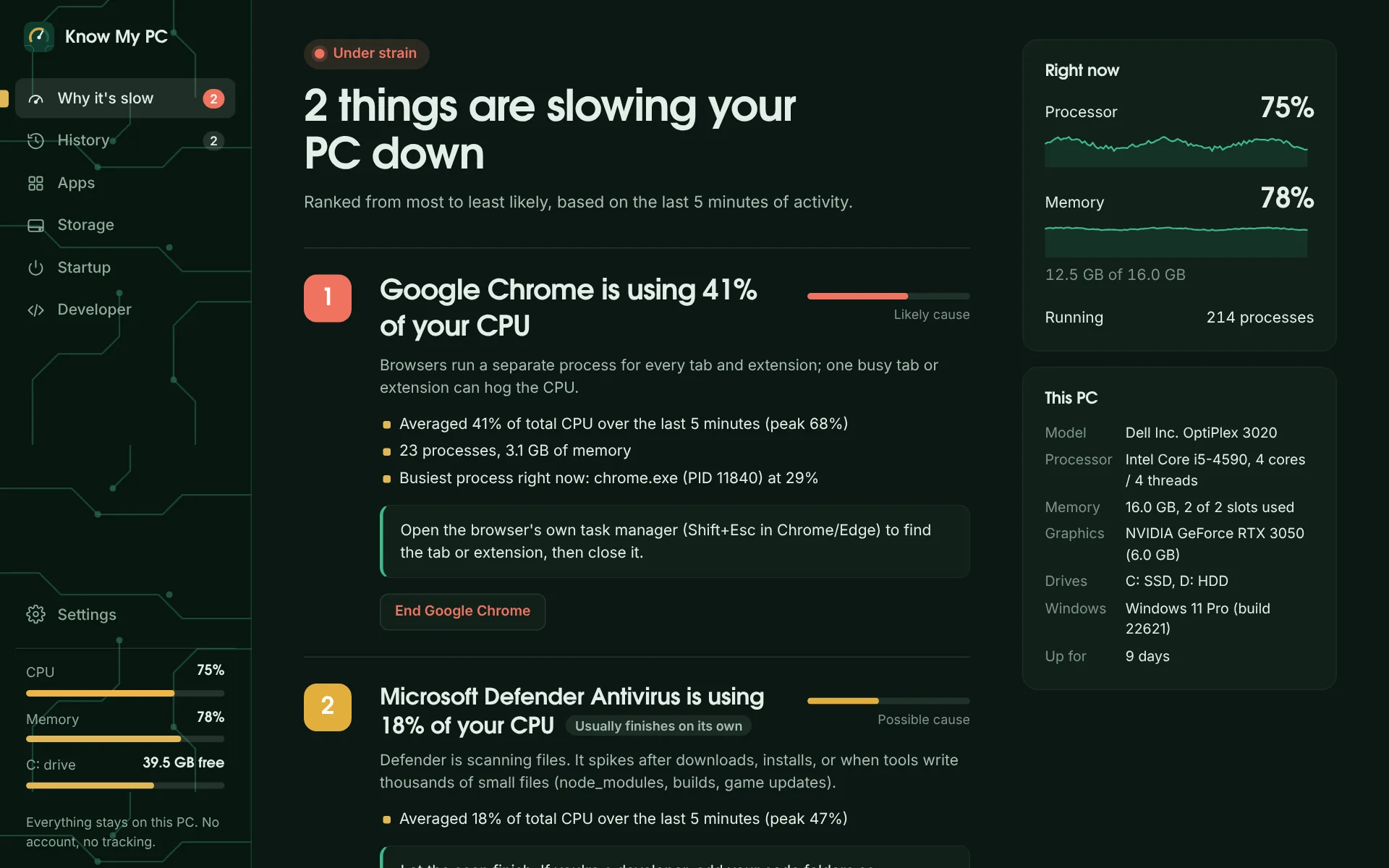
My PC is slow.
Know My PC ranks what's slowing your PC down
It watches every process, groups them under the app that started them, and ranks the likely causes from the last five minutes, with the evidence and a fix for each.
- Shows which app, how much and for how long: “Chrome averaged 41% of your CPU (peak 68%)”
- Recognises Windows' own busy work, like Defender scans, updates and search indexing, and tells you when it'll finish by itself
- Ends a runaway app and everything it started, with one click
It lags when I play.
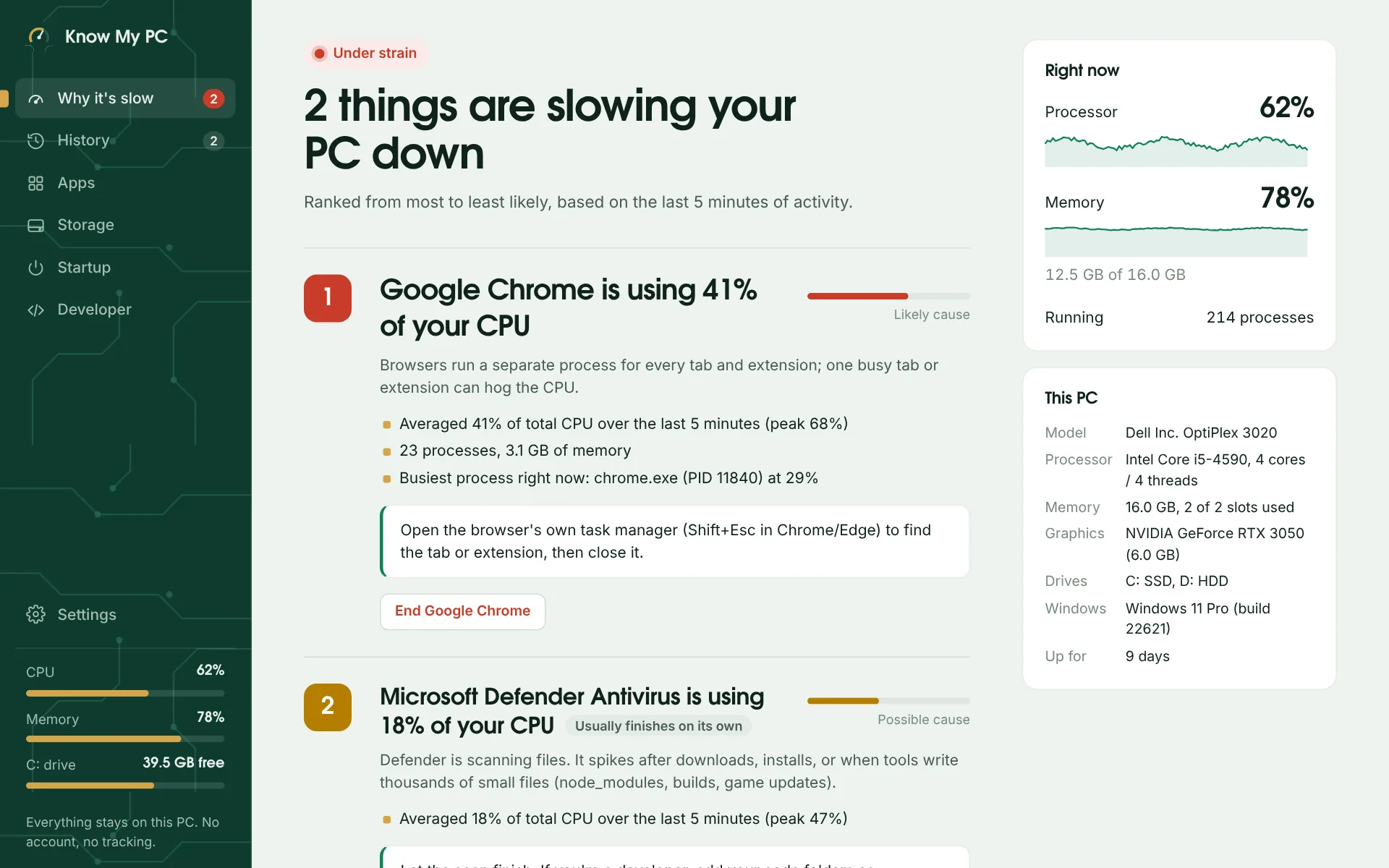
History shows exactly when it got bad
Every slowdown is recorded with the apps responsible, so you can see it was Chrome and a Defender scan, not your game, that ate the headroom.
- A 7-day CPU and memory timeline with overloads marked
- Game boost lowers other apps' priority while you play, then puts them back
- Suggestions drawn from your own slowdowns, not generic tips
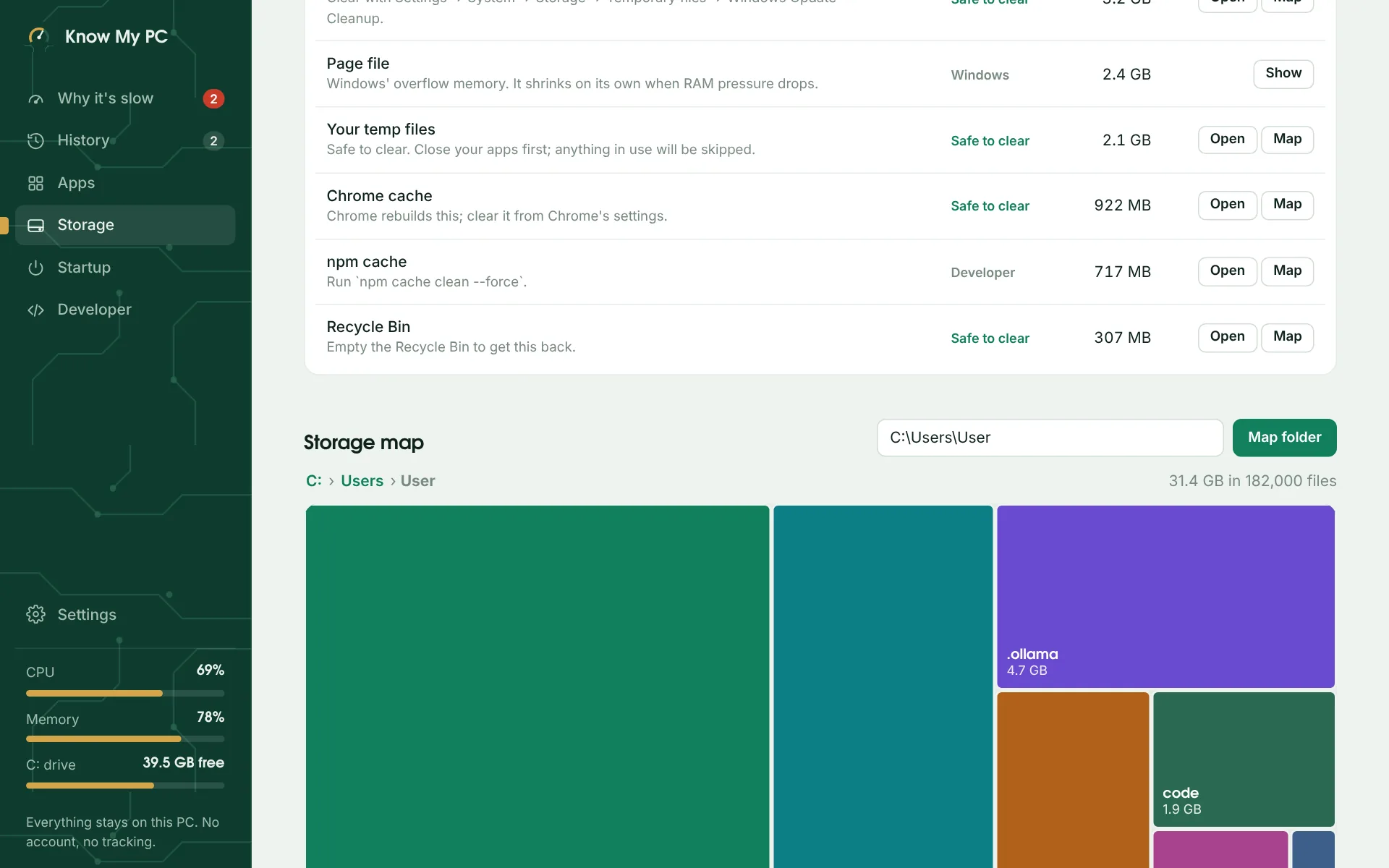
My C: drive is full.
Find the space, then get it back safely
A map of your folders shows what's big at a glance. Know My PC knows where Windows hides space: update caches, temp files, WSL disks, game libraries, model files.
- Shows which folders are safe to clear and which hold your own files
- Installed apps sorted by size, with one-click uninstall
- Only ever moves things to the Recycle Bin. Windows and Program Files are off-limits.
It takes forever to start.
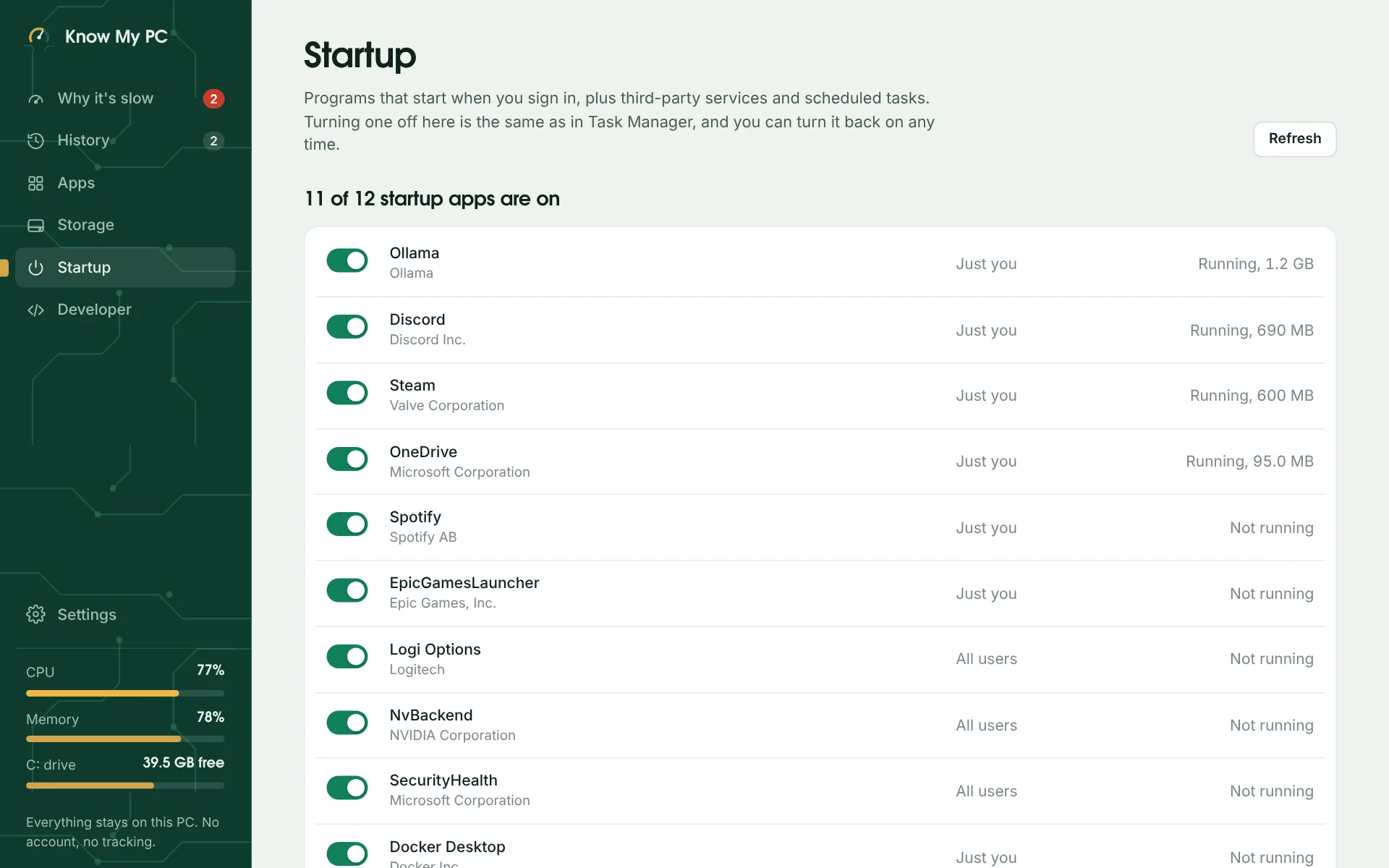
See what starts with Windows, and switch it off
Every startup app, which company made it, and whether it's using memory right now. Switching one off works exactly like Task Manager, and you can switch it back on anytime.
- Apps for all users too: Windows asks for permission, and that's it
- Background services and scheduled tasks from other companies, listed separately
Built for developers too
Know My PC knows what's running on a developer's PC: dev servers, coding agents, local models and the virtual machines behind WSL and Docker.
- Ports
- Every dev server, its project folder, and a warning when it's reachable from your network
- Coding agents
- Claude Code, Codex, Aider and others, with processes they left running after the terminal closed
- Local AI
- Models loaded in Ollama or LM Studio, and how much graphics memory they hold
- WSL and Docker
- Distros, containers, and the VM that keeps your RAM until you cap it
Your PC's data stays on your PC
No account and no tracking. History lives in a file on your own drive, and you can export or delete it anytime. Here is every connection Know My PC makes:
One price. Yours to keep.
$9.99one-time, USD
Sales tax or VAT is added at checkout where it applies.
- Every feature: diagnosis, history, storage, startup and developer tools
- Use it on 2 PCs
- 14-day free trial, no card needed
- 14-day refund if it doesn't help
- No subscription and no account
Questions
Something else? Get help or email support@knowmypc.app.
Is it safe to use?
Know My PC never ends Windows' own processes, never deletes anything permanently (it only moves files to the Recycle Bin), and won't touch the Windows or Program Files folders. Startup changes use the same switch Task Manager uses.
Windows says “Windows protected your PC” when I install it.
That's SmartScreen, which warns about apps it hasn't seen many downloads of yet. Click More info, then Run anyway. The installer is the same file that's linked from this page.
Will it slow my PC down?
It checks every 3 seconds by default, and you can make that 5 or 10 seconds in Settings. Know My PC appears in its own Apps list, so you can always see what it's using.
Which versions of Windows does it work on?
Windows 11 and Windows 10 (64-bit). It uses Microsoft Edge WebView2, which Windows 11 already has; the installer adds it on Windows 10 if needed.
How does the free trial work?
Everything is unlocked for 14 days, no account or card needed. If you buy, paste the license key from your receipt email into Settings → License.
Can I use it on more than one PC?
Yes. Each license works on 2 PCs. To move it, open Settings → License → Move to another PC, then activate the key on the new one.
What if it doesn't help?
Email us within 14 days of buying and we'll refund you.
Is there a Mac version?
No. Know My PC is built for Windows. On a Mac, iKnowMyMac does a similar job.